Hytale Free Dedicated Server Connection Guide
01/15/2026
Hytale is now live, but during the early launch phase, many players may experience issues connecting to servers. To help you get into the game smoothly, LagoFast offers free Dedicated Servers that you can join easily, no cost required!
Follow the steps below to connect and start playing.
Step 1: Boost Hytale Dedicated Server with LagoFast
Open LagoFast and search for Hytale Dedicated Server.
We currently provide Dedicated Servers in the following regions:
Asia, North America and Europe
Please select the server region closest to your real geographic location to ensure the best connection quality.
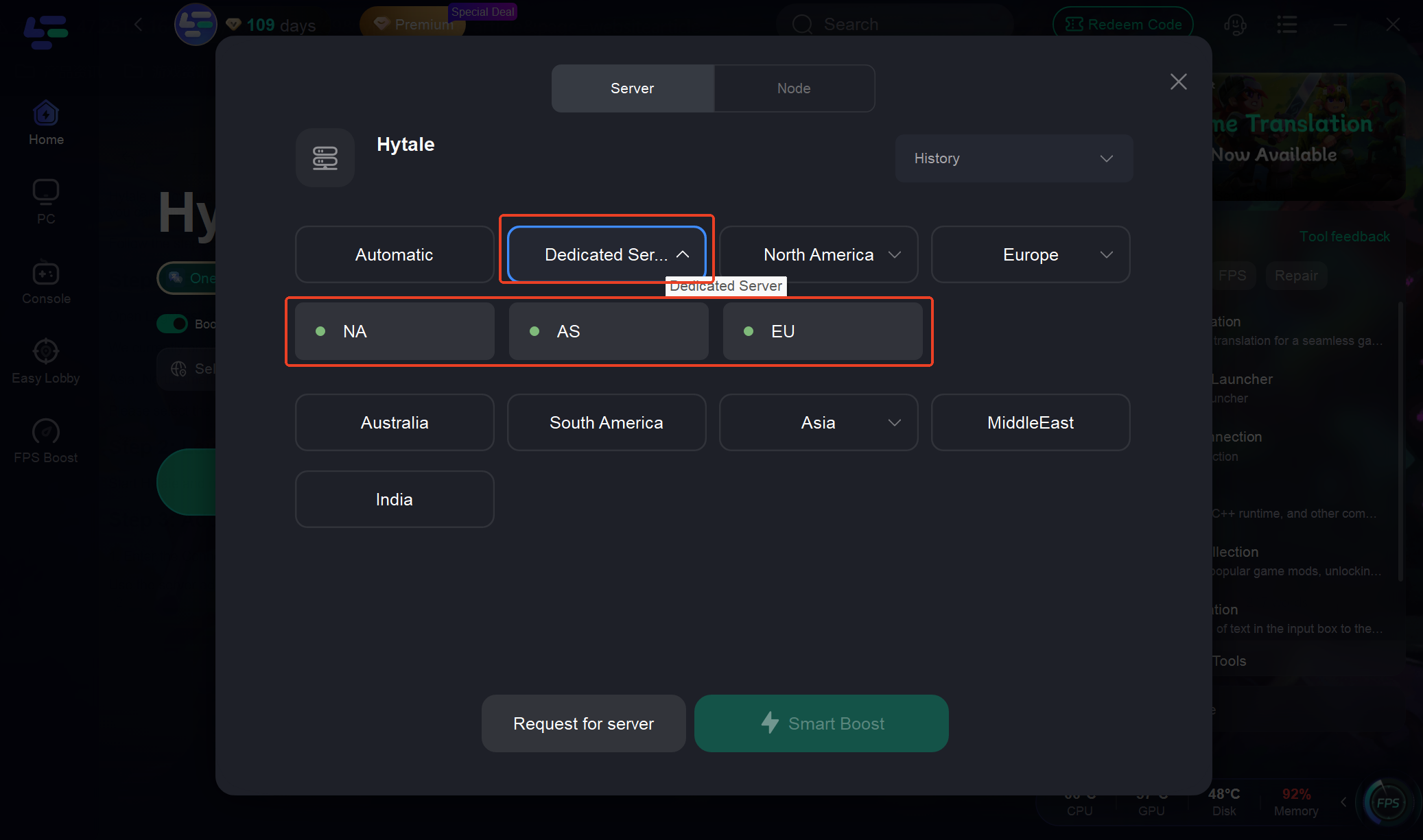
Step 2: Launch the Game and Open the Server Menu
Start Hytale and navigate to the Server section from the main menu.
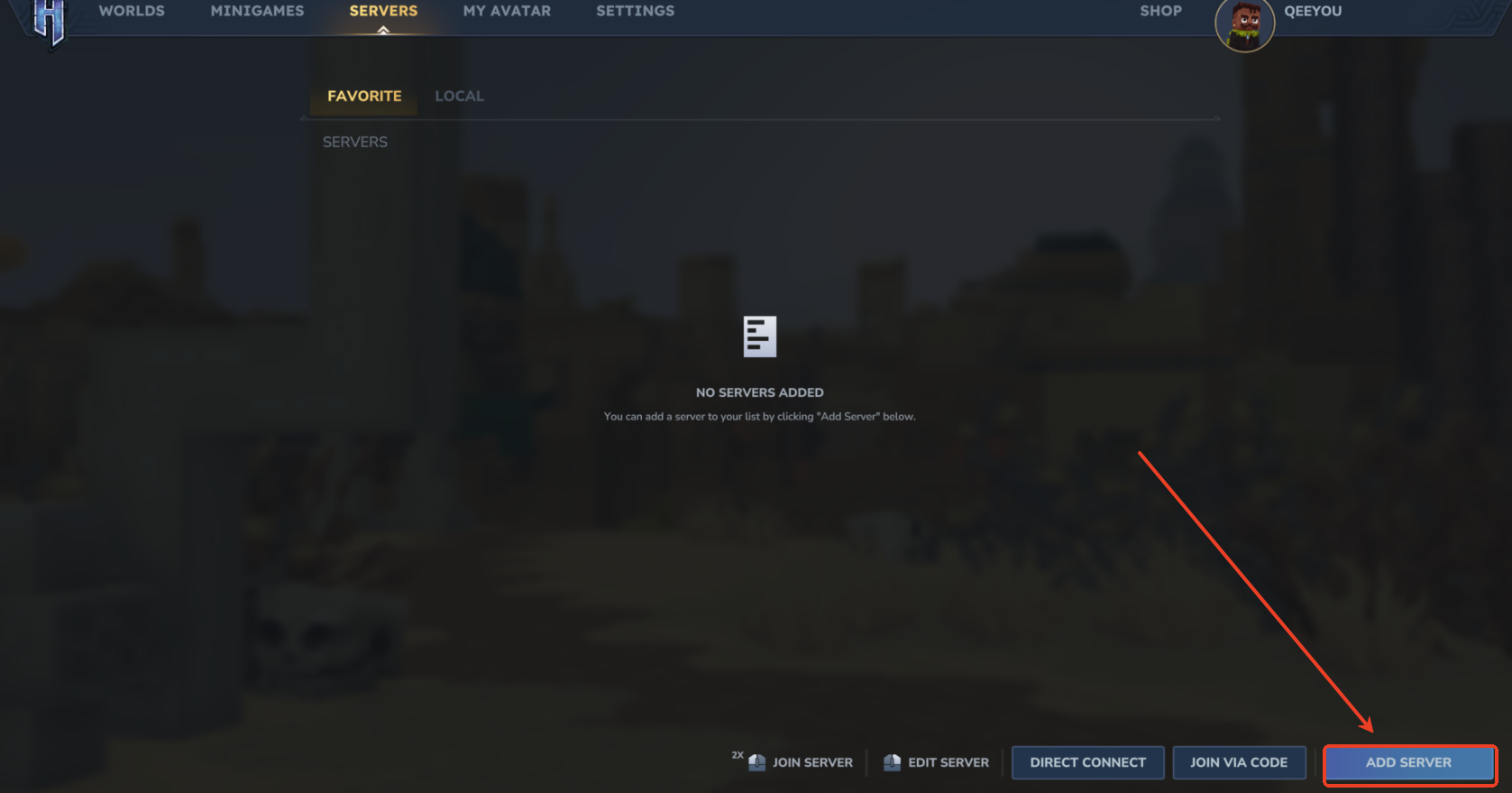
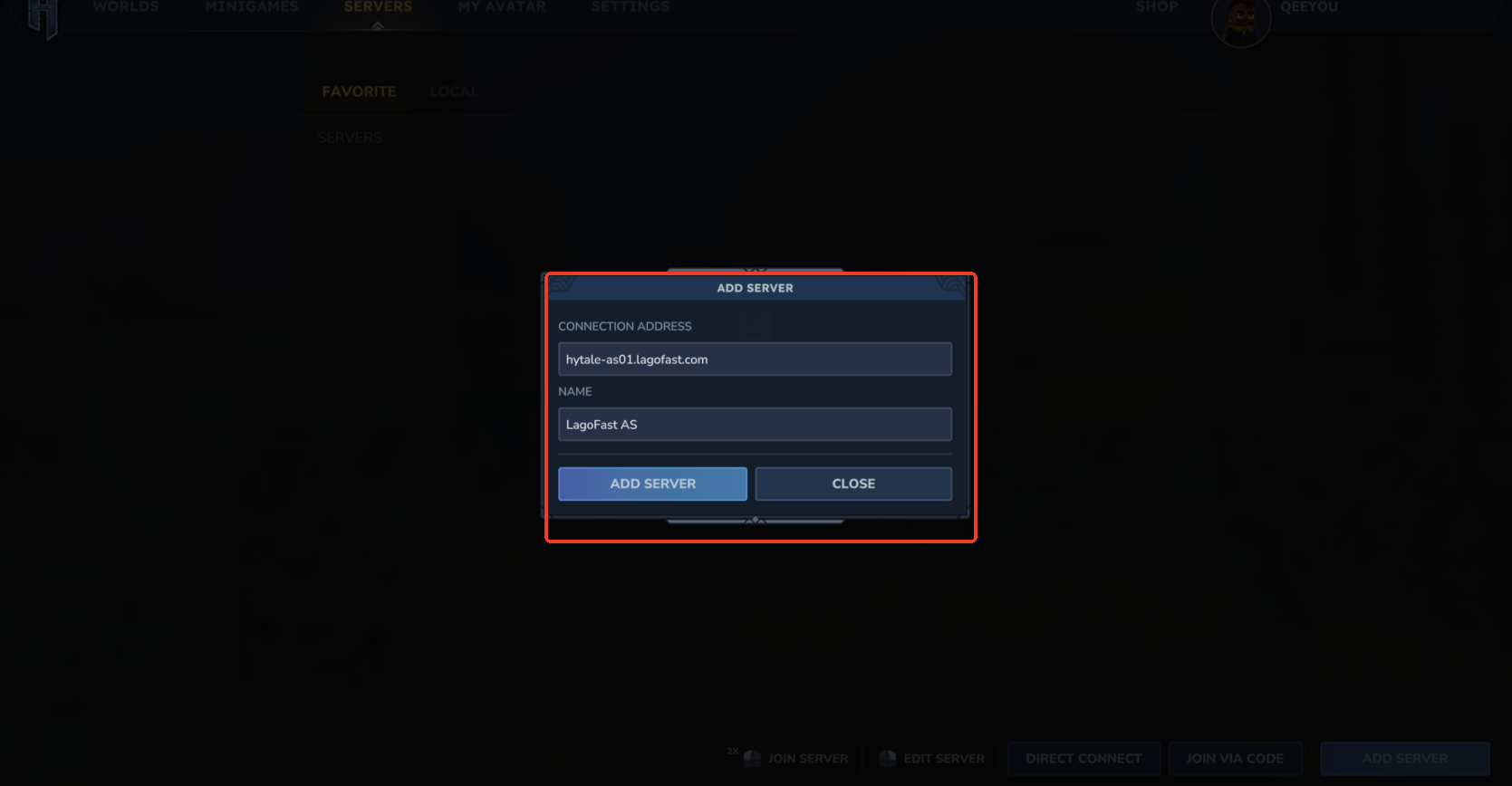
Step 3: Add a Dedicated Server
1. Enter the Connection Address
Use the server address that matches your selected region:
- Asia:
- North America:
- Europe:
2. Enter a Server Name
In the NAME field, you can enter any name you like to identify the server.
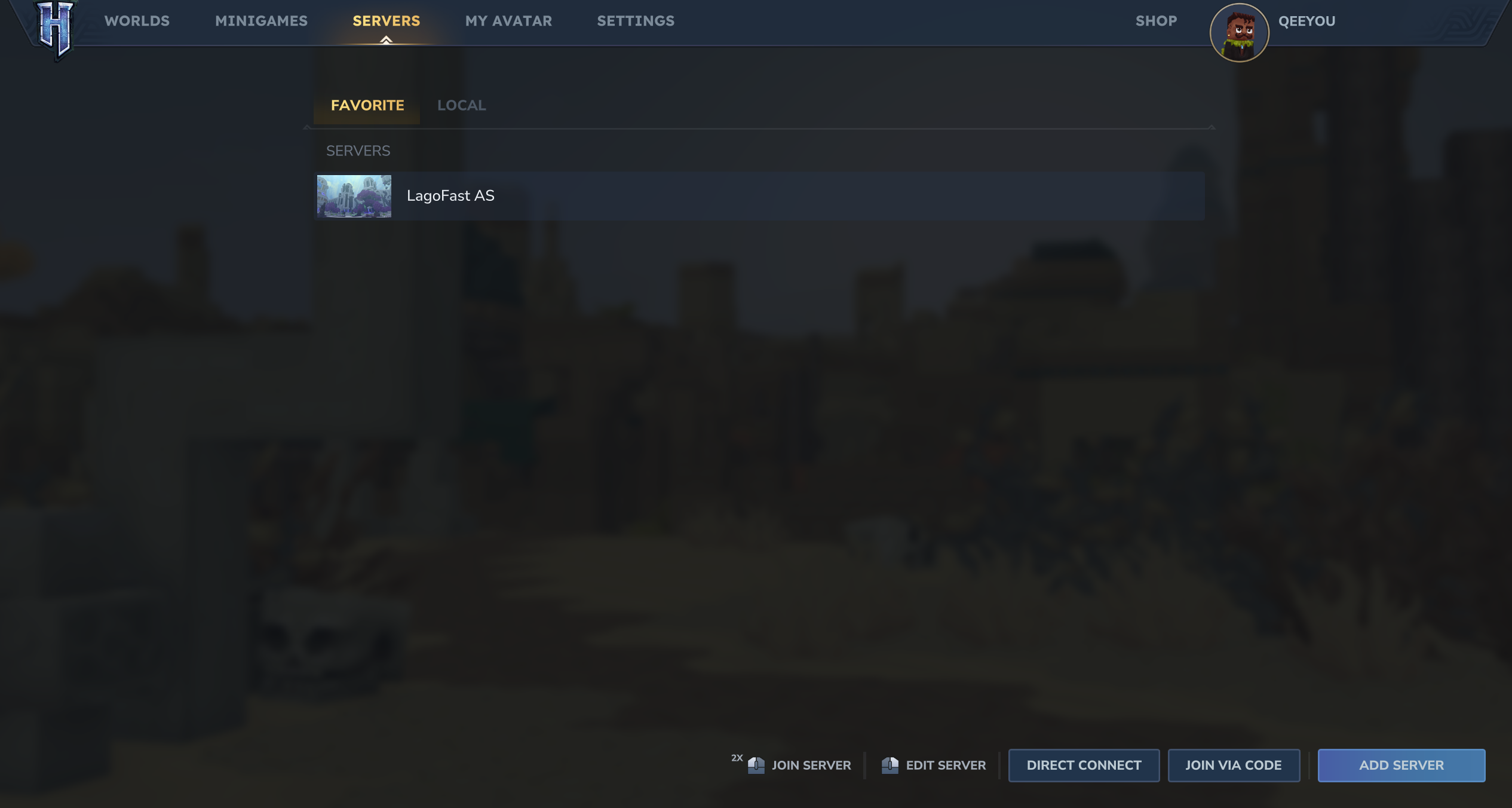
Step 4: Join the Server and Start Playing
After saving the server information, select it from the list and connect. You're all set and enter the server and start your Hytale adventure!
If you encounter any issues while connecting, feel free to contact the LagoFast support team for assistance. Happy gaming!
Было ли это полезно?

Да

Нет
Не можете найти ответ на интересующий вас вопрос?
Свяжитесь с намиМы используем файлы cookie и собираем обезличенные данные о пользователях для улучшения работы сайта, персонализации контента, анализа производительности и показа целевой рекламы. Нажимая кнопку «Принять», вы даете согласие на обработку таких данных. Подробнее.